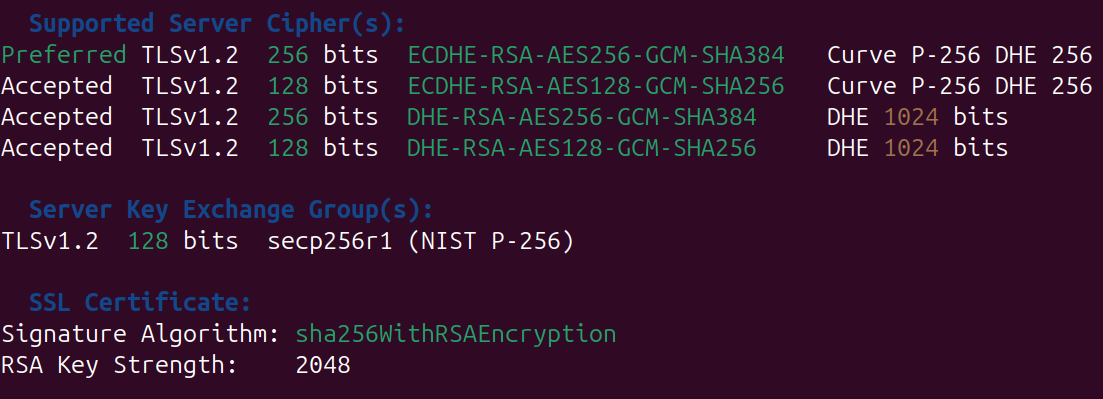
It is common to see outdated SSL/TLS versions or cipher suites in penetration tests or vulnerability scans. CVSS can look scary, but in reality you are likely fine. These are generally a nuisance for both sides to fix and to report. It is more of a security hygiene exercise.
Typical line items include SSL Version 2 and 3, SWEET32, TLS 1.1 deprecated, TLS 1.0 detection, and RC4 (Bar Mitzvah). They thrive in reports and are relatively simple to fix. Let's have a look at common paths on Windows IIS and Linux Apache and Nginx.
Windows IIS
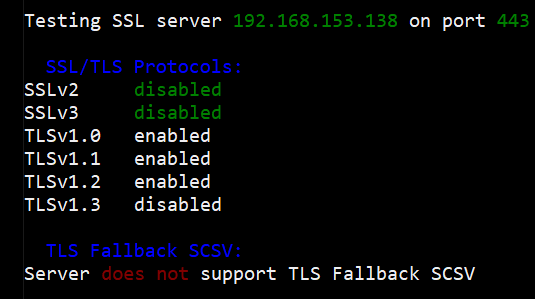
A scan for allowed protocols may show TLS 1.0 and 1.1 enabled.
Disable legacy TLS via SCHANNEL registry keys (defaults otherwise apply). Open Registry Editor and navigate to:
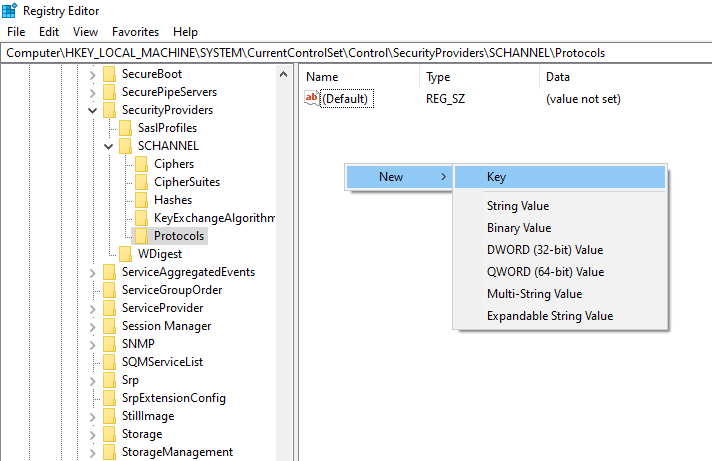
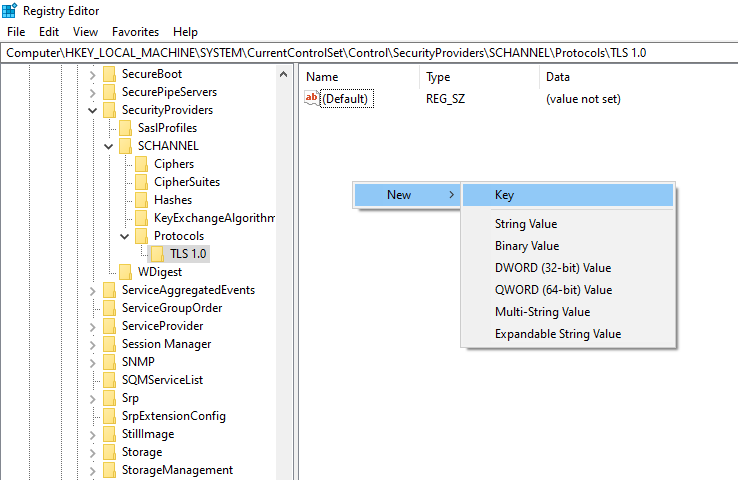
HKEY_LOCAL_MACHINE\SYSTEM\CurrentControlSet\Control\SecurityProviders\SCHANNEL\ProtocolsIt starts empty, so create keys per protocol. Create a key TLS 1.0.
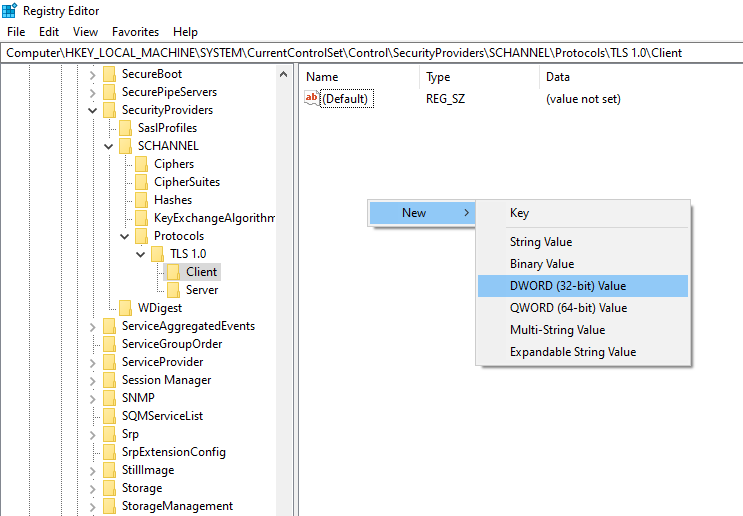
Under TLS 1.0, add subkeys Client and Server.
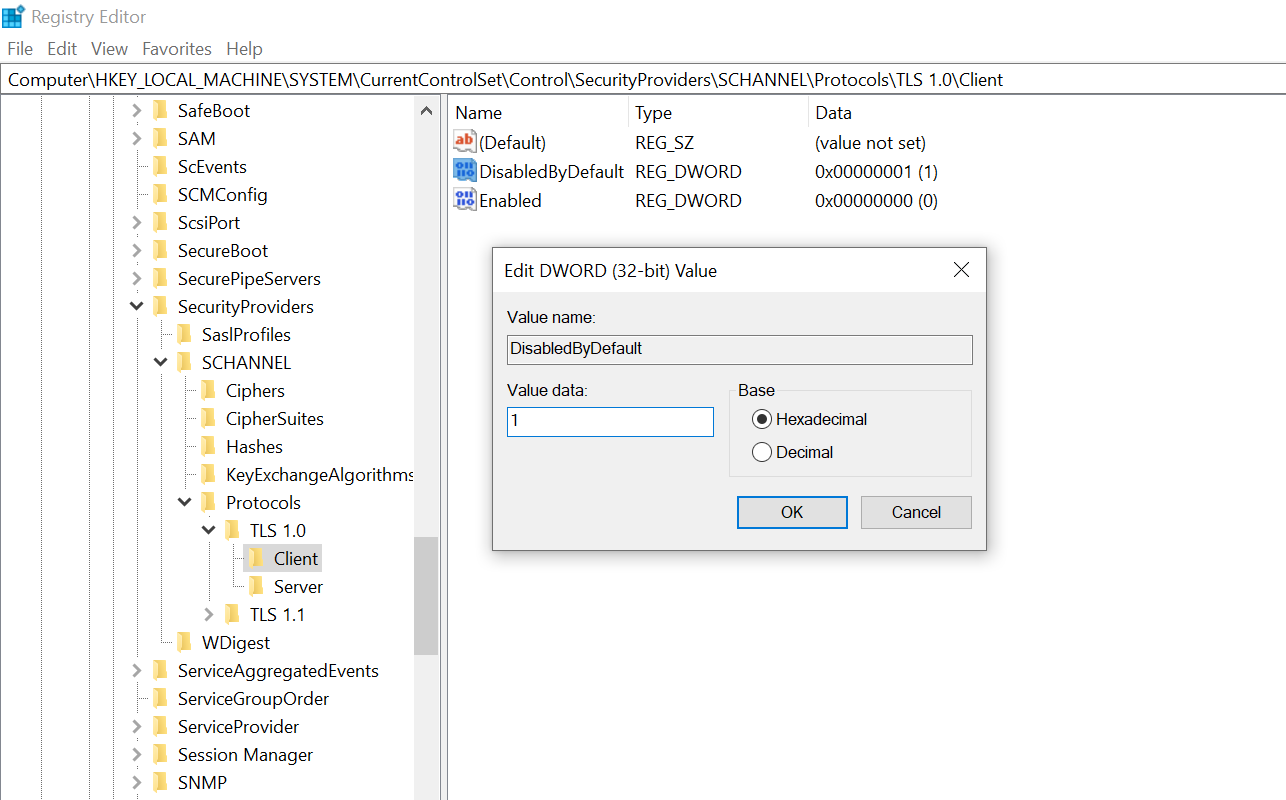
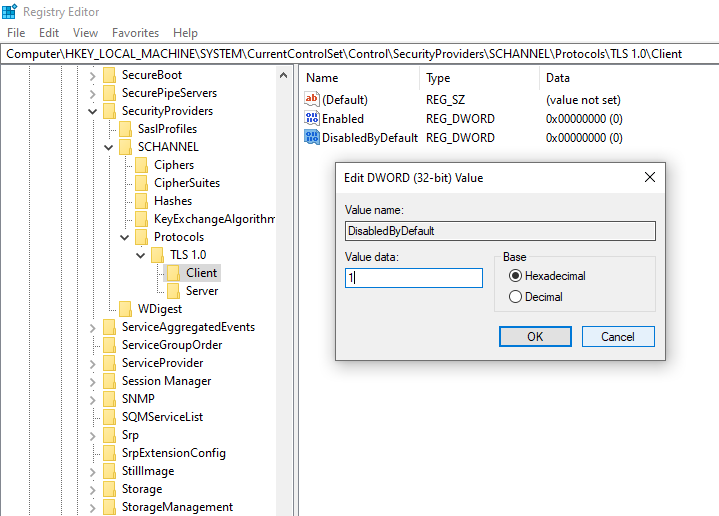
Inside each, create DWORD values Enabled (leave at 0) and DisabledByDefault set to 1.
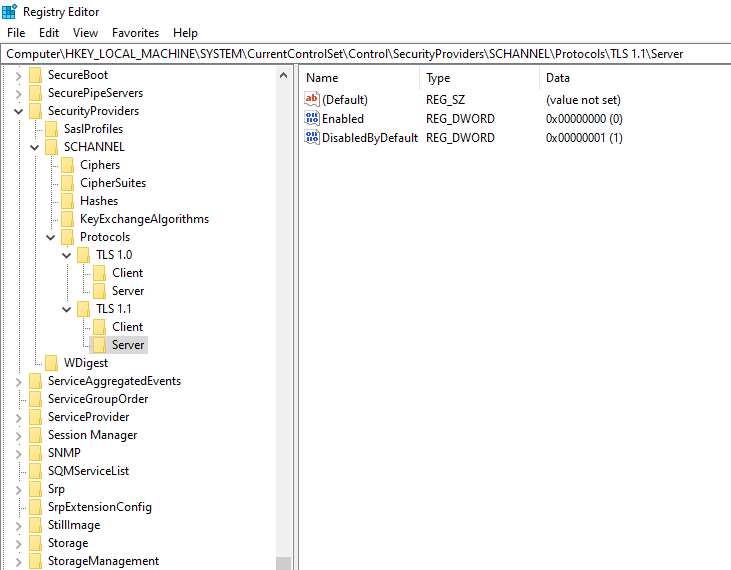
Replicate for TLS 1.1. You should end up with a structure like:
Registry changes apply at startup. Reboot the server and rerun the scan. TLS 1.0/1.1 should no longer be offered.
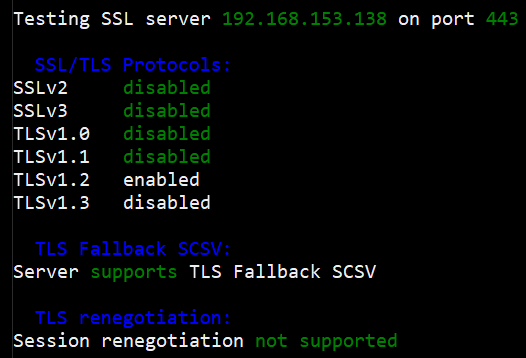
Now to look at the cipher suites, if we took the results from the initial scan, it shows that weak ciphers are used. In your vulnerability report, there may be cipher suites with less than 112 bits or using encryption such as 3DES or RC4.
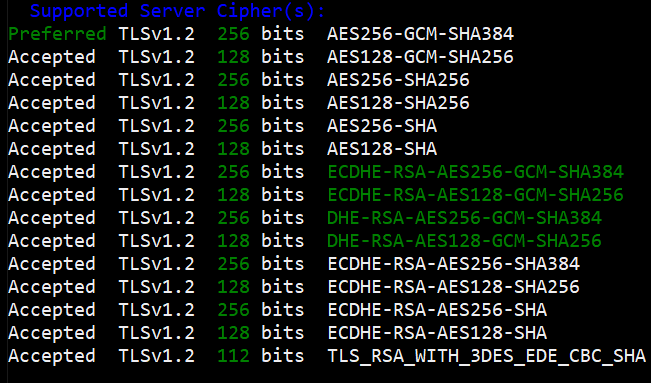
To remove weak ciphers (<112 bits, 3DES, RC4, etc.), use a GPO to set cipher order.
Open Group Policy Editor and navigate to Computer Configuration > Administrative Templates > Network > SSL Configuration Settings > SSL Cipher Suite Order.
Enable and set the suite list to something like:
TLS_ECDHE_RSA_WITH_AES_256_GCM_SHA384,TLS_ECDHE_RSA_WITH_AES_128_GCM_SHA256,TLS_ECDHE_RSA_WITH_AES_256_CBC_SHA384,TLS_ECDHE_RSA_WITH_AES_128_CBC_SHA256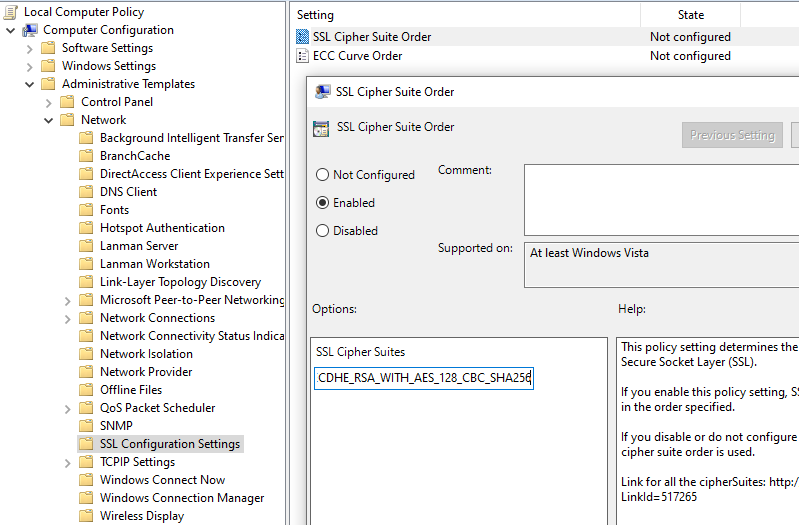
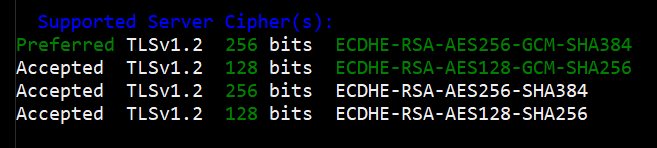
After policy applies and the server reboots, rescan.
Linux Apache
Default Apache often shows TLS 1.0/1.1 in scans.
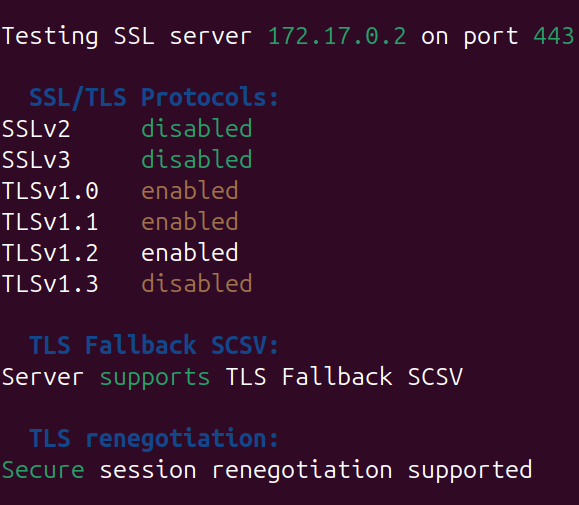
Config may only block SSLv3 explicitly.
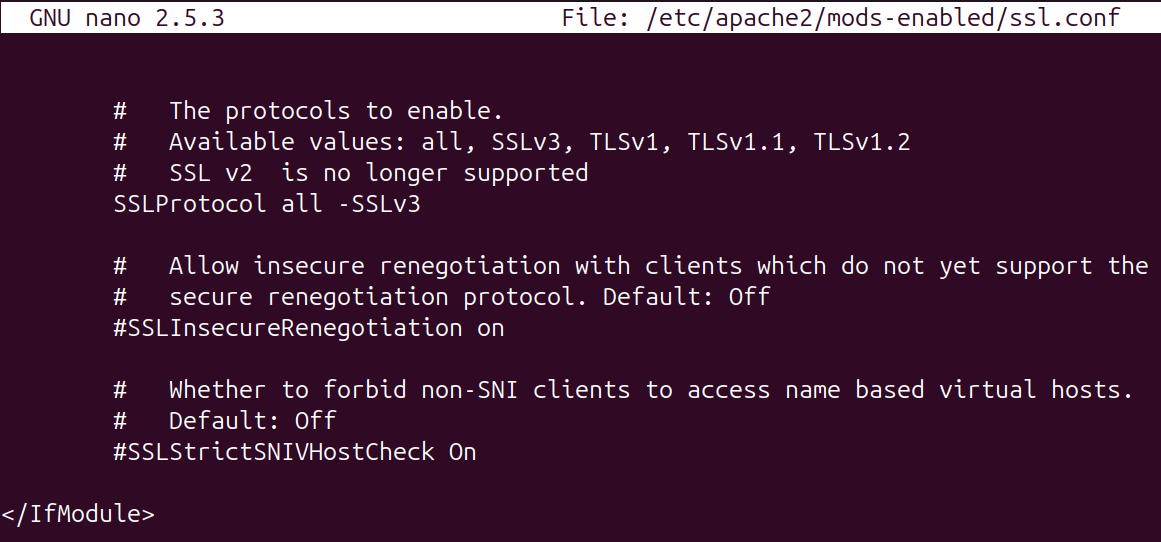
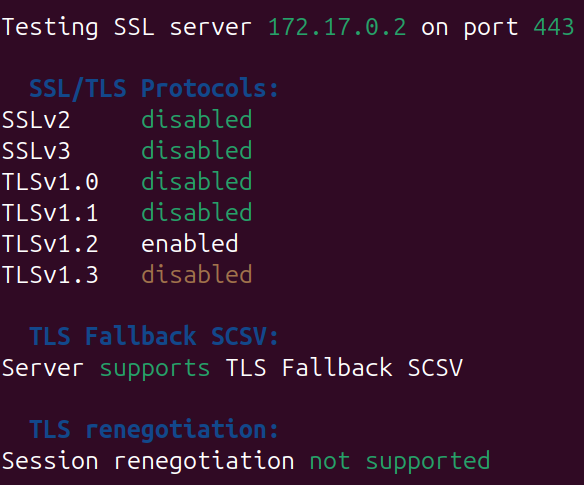
To remove unsafe protocols TLS v1.2 can be explicitly set.
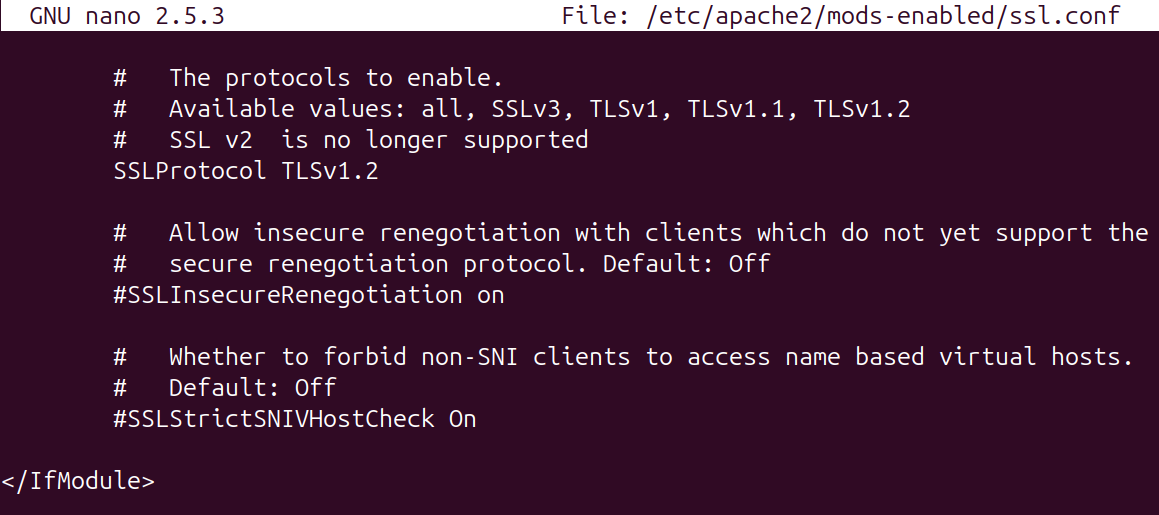
Weak ciphers may still appear in scans (highlighted in yellow).
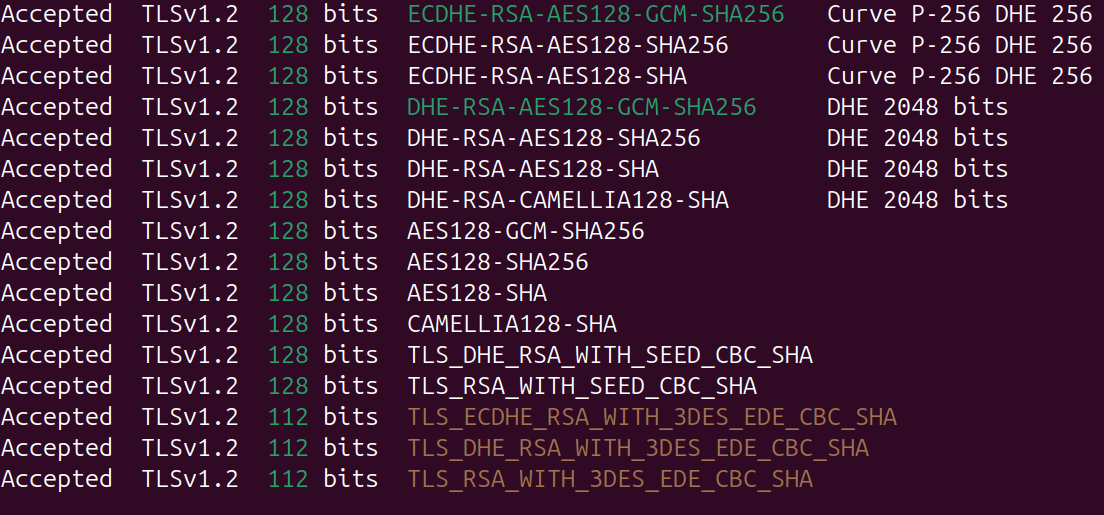
In /etc/apache2/mods-enabled/ssl.conf, Apache may allow all ciphers and use a denylist.
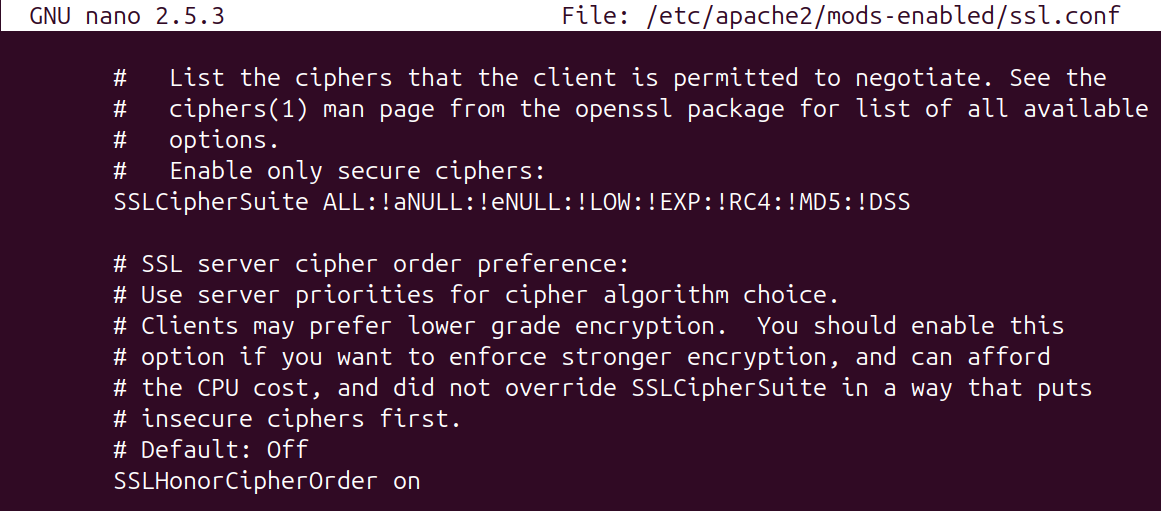
You can instead allowlist strong ciphers via SSLCipherSuite and default to block weak ciphers.
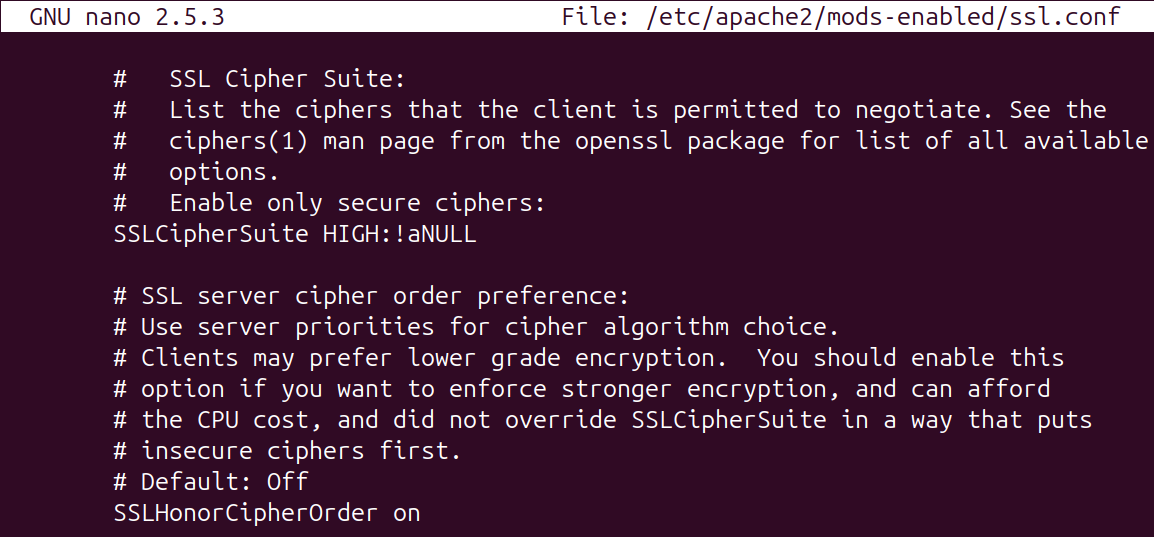
Restart Apache and verify.
The scan should now show TLS 1.2 enabled.
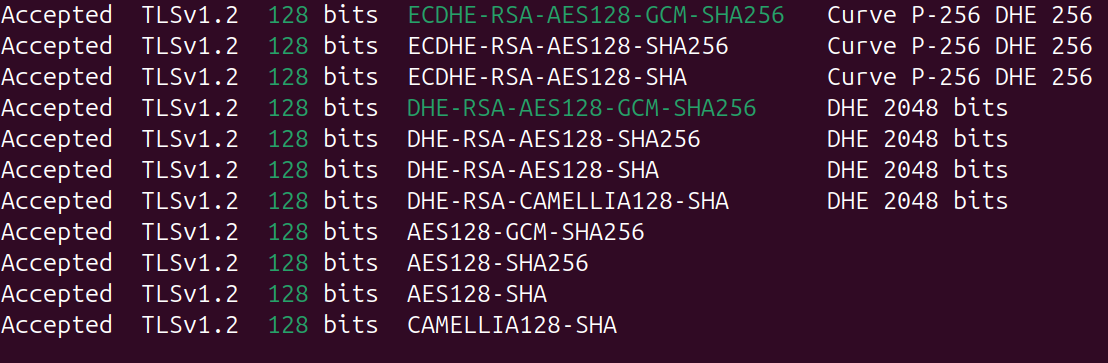
And the cipher scan should now show no weak ciphers.
Linux Nginx
To resolve the weak TLS and cipher suites used in the Nginx site, the configuration file can be updated to explicitly allow safe and modern protocols.
Update the site config to drop SSLv3, TLS 1.0, and TLS 1.1 from ssl_protocols.
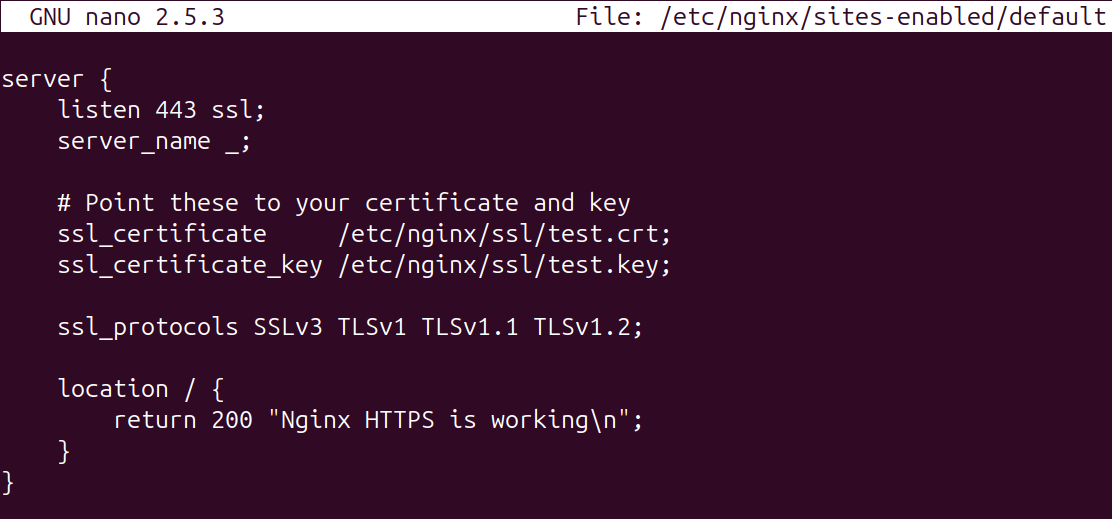
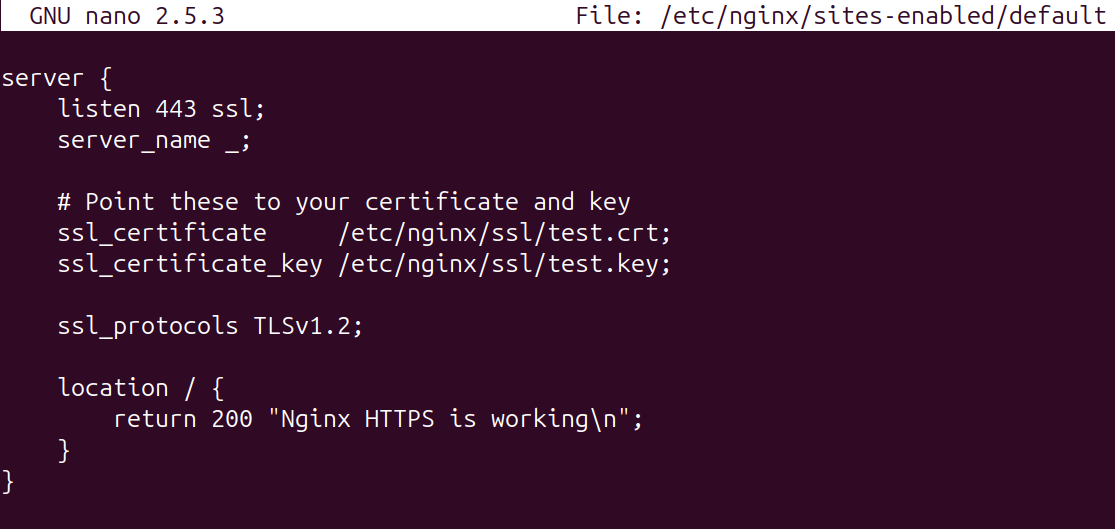
To solve for the weak cipher suites, they will need to be listed in the file.
Set modern ciphers compatible with TLS 1.2, for example:
ssl_ciphers 'ECDHE-RSA-AES256-GCM-SHA384:ECDHE-RSA-AES128-GCM-SHA256:ECDHE-ECDSA-AES256-GCM-SHA384:ECDHE-ECDSA-AES128-GCM-SHA256:DHE-RSA-AES256-GCM-SHA384:DHE-RSA-AES128-GCM-SHA256';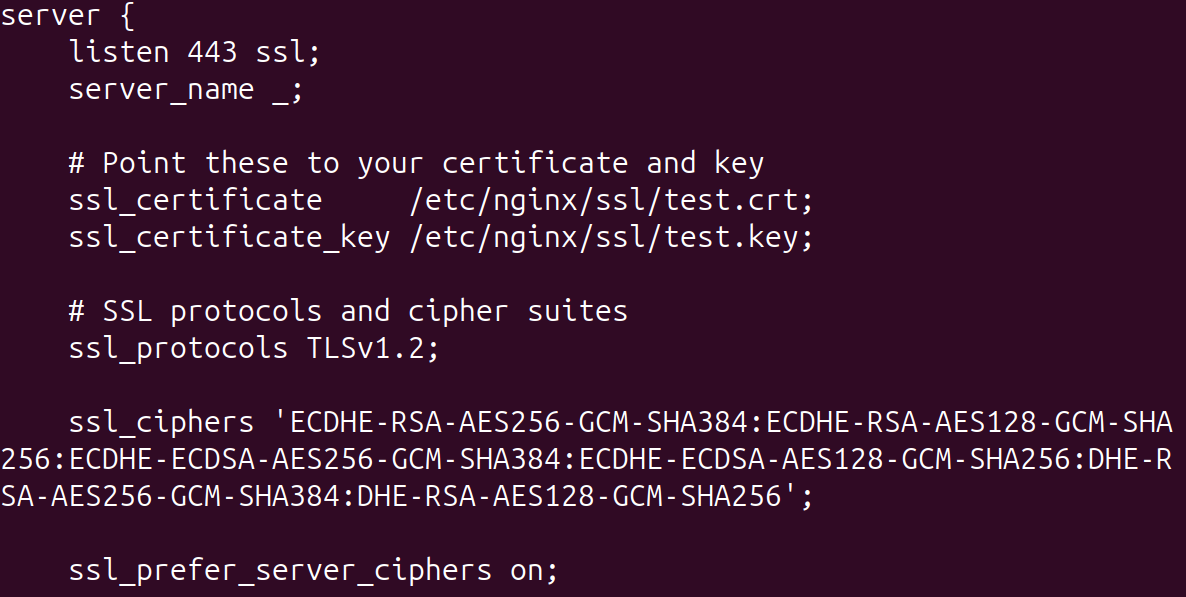
Reload Nginx and rescan.